IrfanView and “Show text” setting for slideshows
Wednesday, July 29th, 2026 at 09:17pm
(this is mostly a post for my own reference)
At the camera club we use IrfanView to display our monthly competitions entries. The images to be presented end up in a number of folders which are copied to the club’s laptop, then batch scripts run IrfanView with the /slideshow option.
Recently I reset that laptop back to a fresh install of Windows 11 (the only way to uninstall all Adobe software) so I also needed to reinstall programs such as IrfanView, which I did.
But then I tested running a slideshow, oh I need to turn off the text which shows the image path. No problem, there is a page in the settings for slideshow:
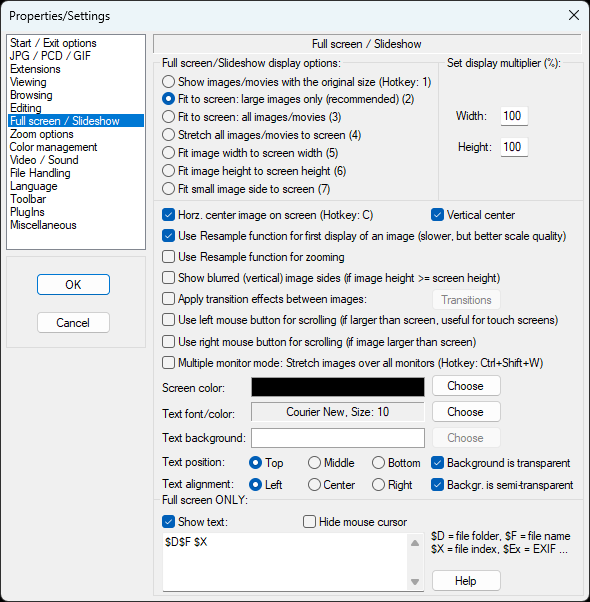
I turned off “Show text” and turned on “Hide mouse cursor”
Tested the slideshow again… that didn’t work.
I loaded a single image and went full screen, that doesn’t show the text. What is happening?
I then spent an hour or two trying all sorts of options like reverting to an older version and targeting an ini file in the local directory, none of them worked. Though I could change the position of the text, so some settings were working.
I had been so fixated on the text showing that for a while I didn’t notice the other issue, that the images were advancing automatically, not waiting for mouse/keyboard input.
Where is that setting? Oh, those are when you go to start a slideshow:
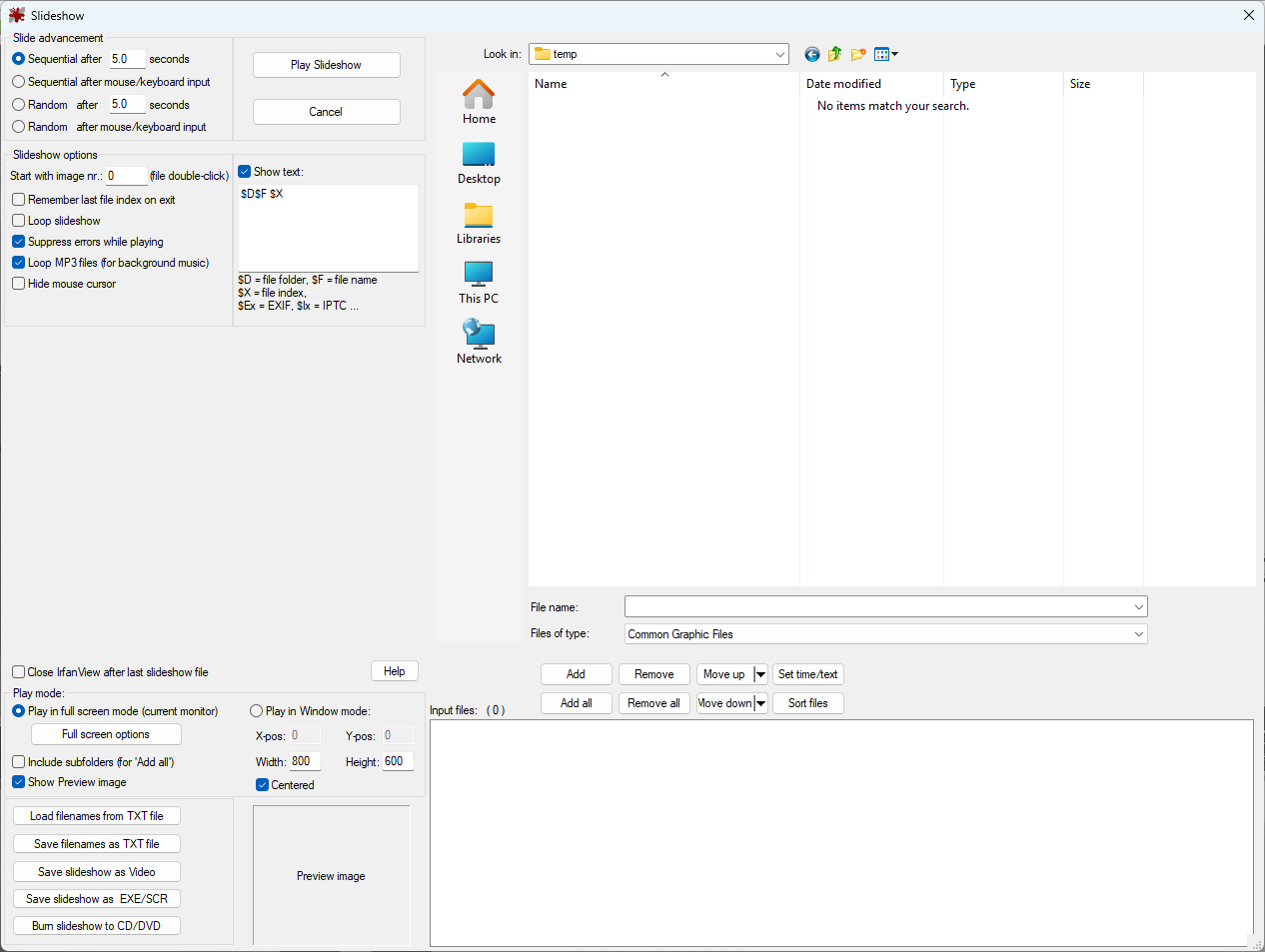
There it is at the top left, “Sequential after mouse/keyboard input”
Hold on… why is there also a “Show text” setting here?
Ah, if I change the setting and then Cancel, it still changes settings for slideshows, so now when I run from the batch file it is doing what I want.
Not the best design, mixing settings for running a new slideshow with settings for future slideshow.
Is is also only now that I have taken these screenshots that I see that “Full screen / Slideshow” settings page is split, most of the settings apply to both full screen and slideshow, but the bottom settings (where “Show text” is) is below a “Full screen ONLY” divider…
Tagged with: irfanview, software, waverley camera club

